Project update 3 of 4
Exploring HCI & BCI with NeuroPlayGround Lite
by Rup Jyoti Bharadwaj, Deepak Khatri, Krishnanshu Mittal, Anuranan Kakati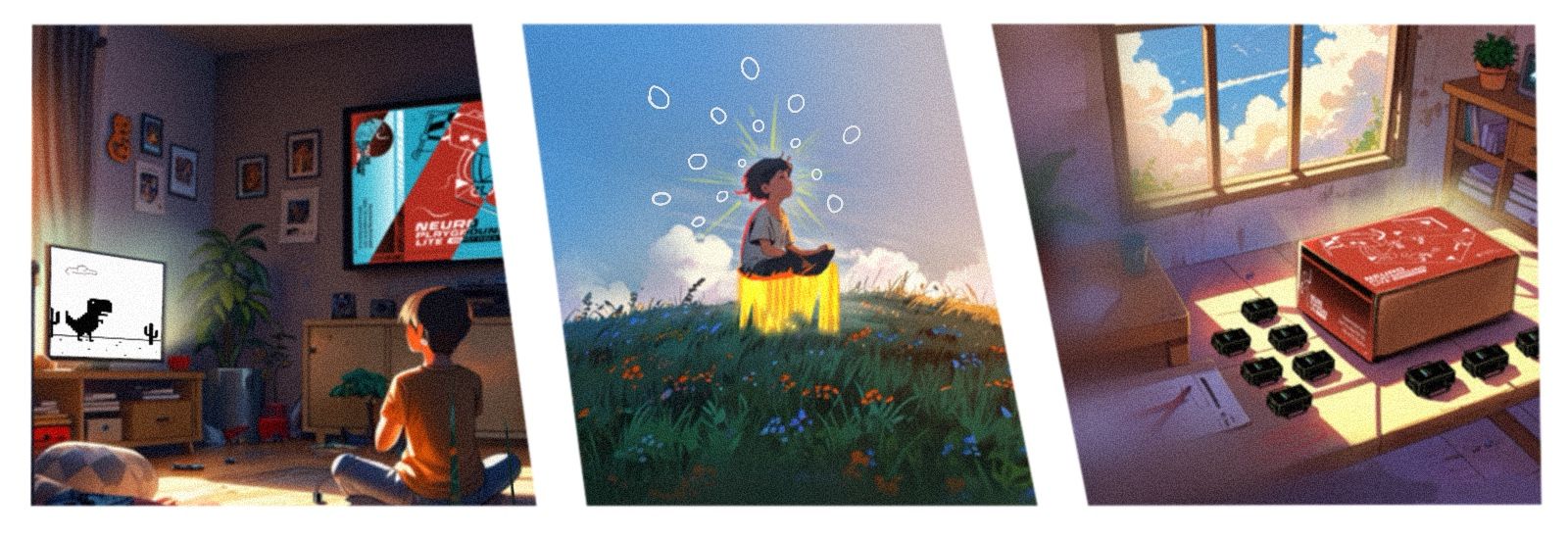
Project Tutorials
Neuro PlayGround Lite, with its multi-channel BioAmp, wireless connectivity, battery operation, and expansion interface, empowers users to create innovative HCI and BCI applications with ease. We’ve developed a series of projects leveraging ECG, EMG, EOG, and EEG signals to inspire you—though the possibilities extend far beyond these examples!
TL;DR – Quick Project Links
Make Muscular Music (EMG):
Track Your Ticker (ECG):
Jump In the Blink of an Eye (EOG):
Pop Bubbles With Your Mind (EEG):
Hardware Setup
Before starting any project, make sure your NPG Lite is running the Chords BLE firmware. Here’s how to flash it:
We’ll use the NPG Lite Flasher, a user-friendly tool to flash firmware onto your ESP32-based NPG Lite.
Download the Flasher:
- Download the NPG Lite Flasher from: github.com/upsidedownlabs/NPG-Lite-Flasher
- Install and launch the application
Flash the Firmware:
- Connect your NPG Lite via USB-C cable
- Select BLE firmware (required for these projects).
- Identify the correct port
- Click "Flash"
After Flashing:
- Unplug the NPG Lite from your laptop
- Disconnect the laptop's charger to minimize AC noise
LED Status Indicators (Chords BLE Firmware):
- 🔴 Red LED: Device is powered on but disconnected
- 🟢 Green LED: Device is connected to Chords interface
- 🔵 Blue LED: Device is connected and actively streaming data
Haptic Feedback (VibZ/VibZ+ Playmates):
- Single vibration: Device successfully connected
- Double vibration: Device disconnected
Alternative: Uploading Firmware Using Arduino IDE
Go to the Chords BLE Firmware for NPG Lite.
Click the copy button on the top right of the code to copy the sketch.
Install Arduino IDE and open a new sketch via
File→New Sketch.Delete the existing code (select all with
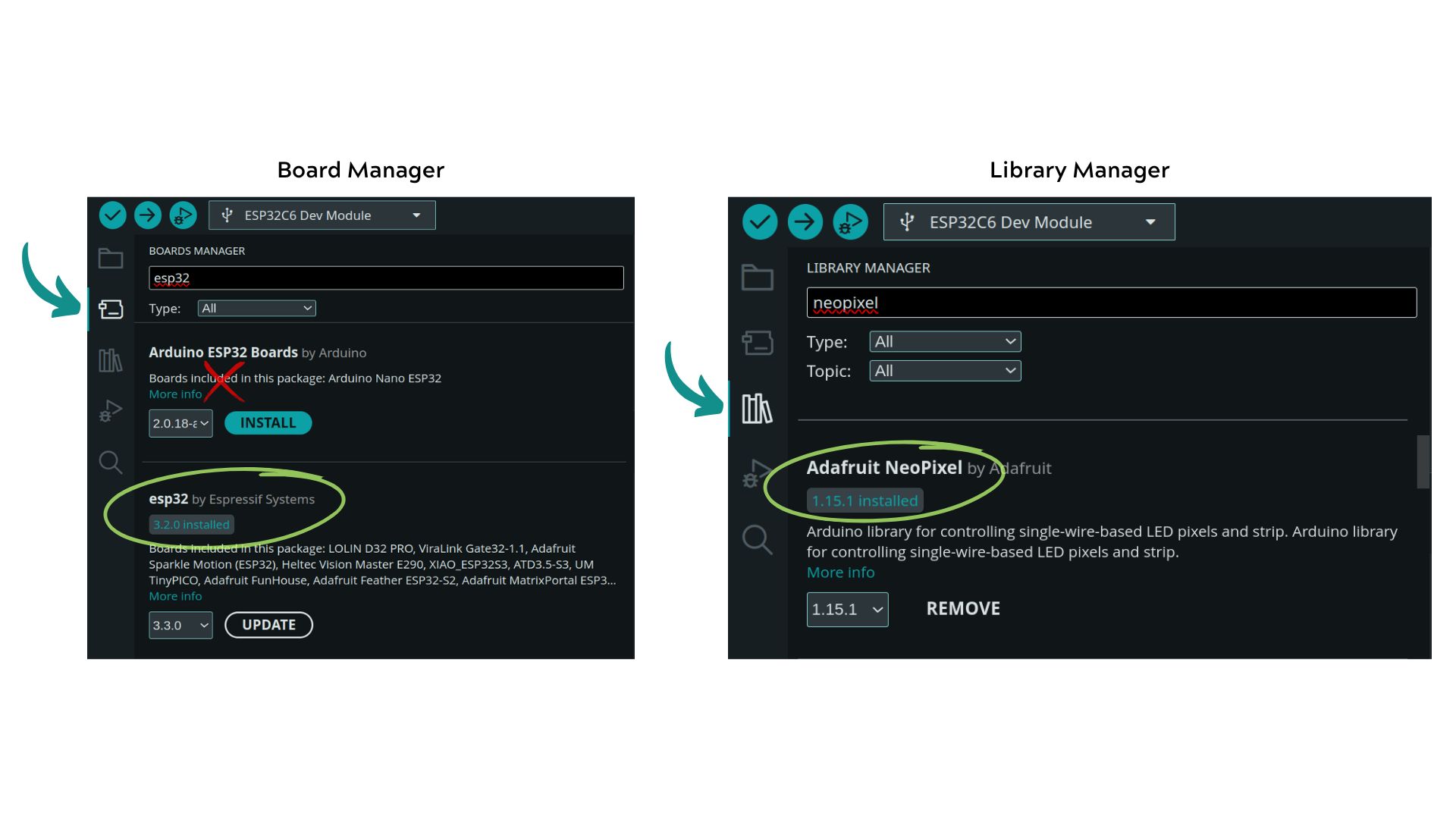
Ctrl+A) and paste the BLE sketch (Ctrl+V).Go to the board manager by clicking on the 2nd icon on the left side or
Tools→Board→Board ManagerSearch for "ESP32" and install "ESP32 by Espressif Systems" (do not install the Arduino ESP32 boards).
Now go to
Tools→Board→esp32→ SelectESP32C6 Dev MoudulePress
Ctrl+Shift+Ito open the library manager.Search for "Adafruit NeoPixel" and install the library.
Hit the upload button (➜ on the top left).
1. Make Muscular Music
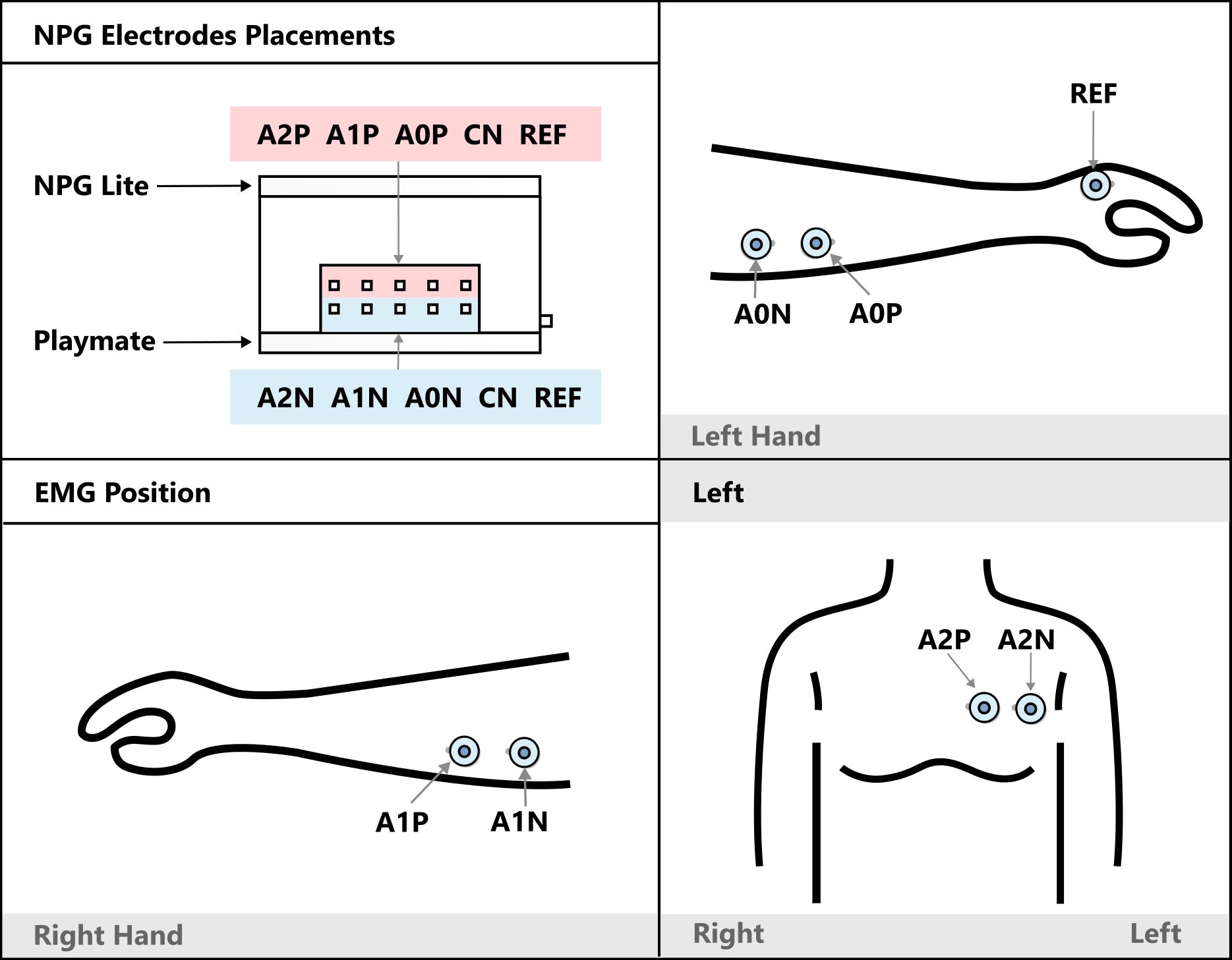
A human-computer interface (HCI) using 3-channel EMG data to detect muscle signals from the left hand, right hand, and chest, controlling virtual musical instruments. Each muscle contraction triggers a distinct sound effect—turning your body into an organic orchestra!
Learn More:
- Muscle Melody: Create Music With Your Muscle Movements (EMG) – Instructables Guide
- Web interface for Muscle Melody
2. Track Your Heartbeat
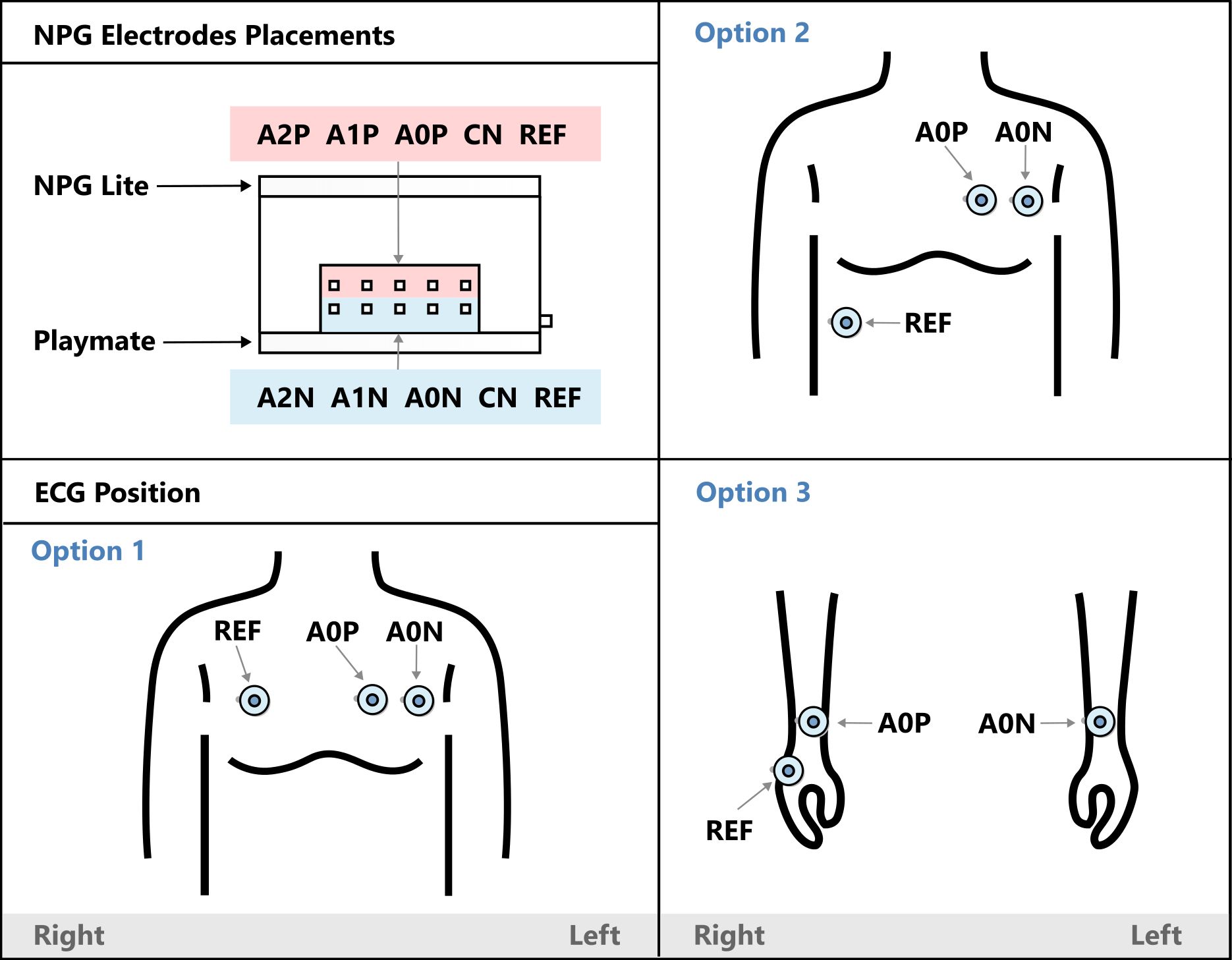
Capture electrocardiogram (ECG) signals to calculate heart rate using NPG Lite, and display results in real time on a mobile phone via Bluetooth LE and a Chrome-based browser.
Learn More:
3. Jump In the Blink of an Eye
Control a game simply by blinking! This setup detects EOG signals from the eyes, sends data over Bluetooth LE to your PC, and emulates a spacebar keystroke when a blink is detected. You can configure the code to simulate other keystrokes as well.
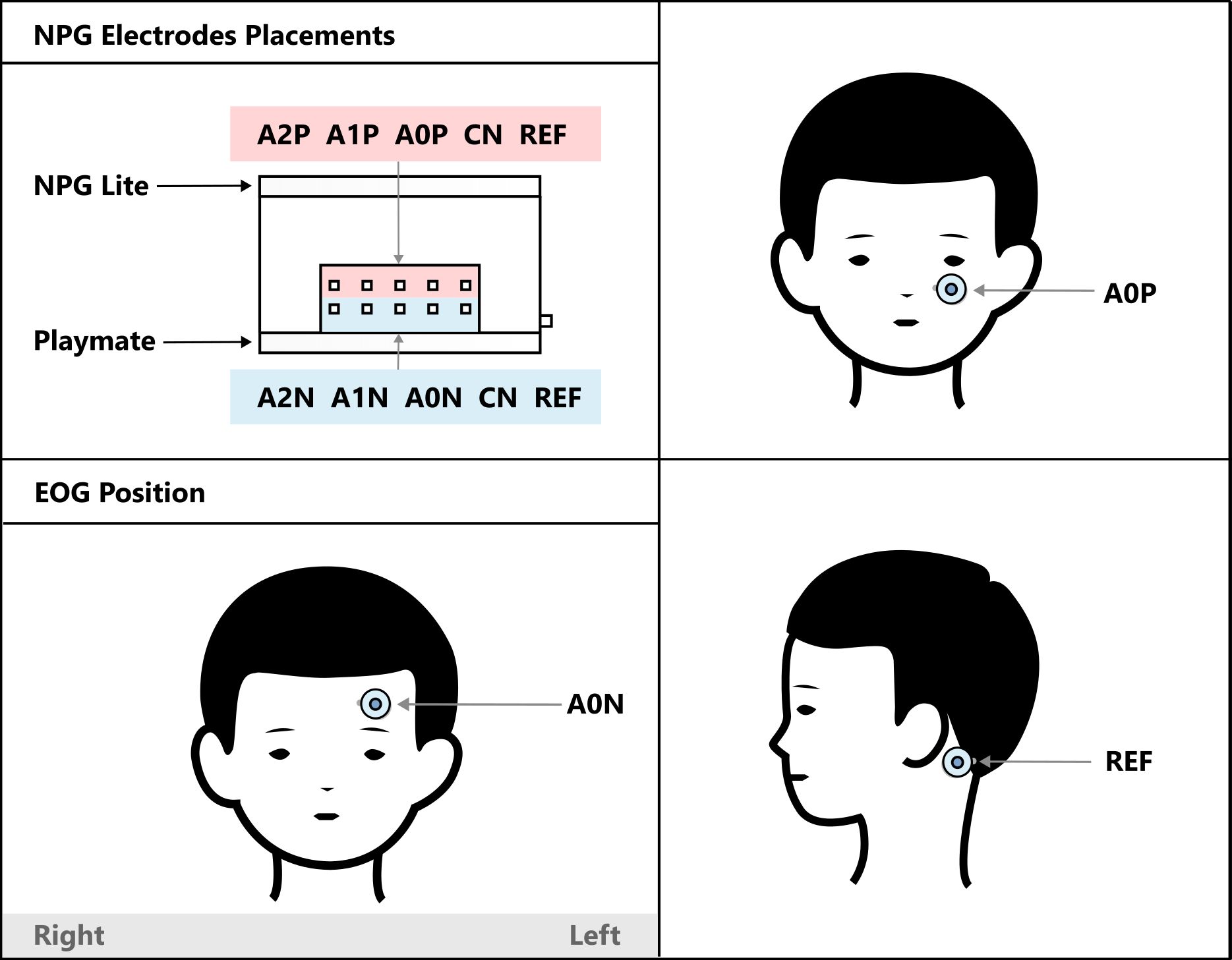
Learn More:
- Controlling Keyboard With Eye Blinks Using Neuro PlayGround Lite – Instructables Guide
- Play Chrome Dino Game
4. Pop Bubbles With Your Mind
A brain-computer interface (BCI) application that uses EEG signals to operate an interactive bubble-popping game in a web browser. The system identifies beta wave activity (12–30 Hz) to measure concentration and attention. Bubbles pop as you focus—and stop when your concentration wanes.
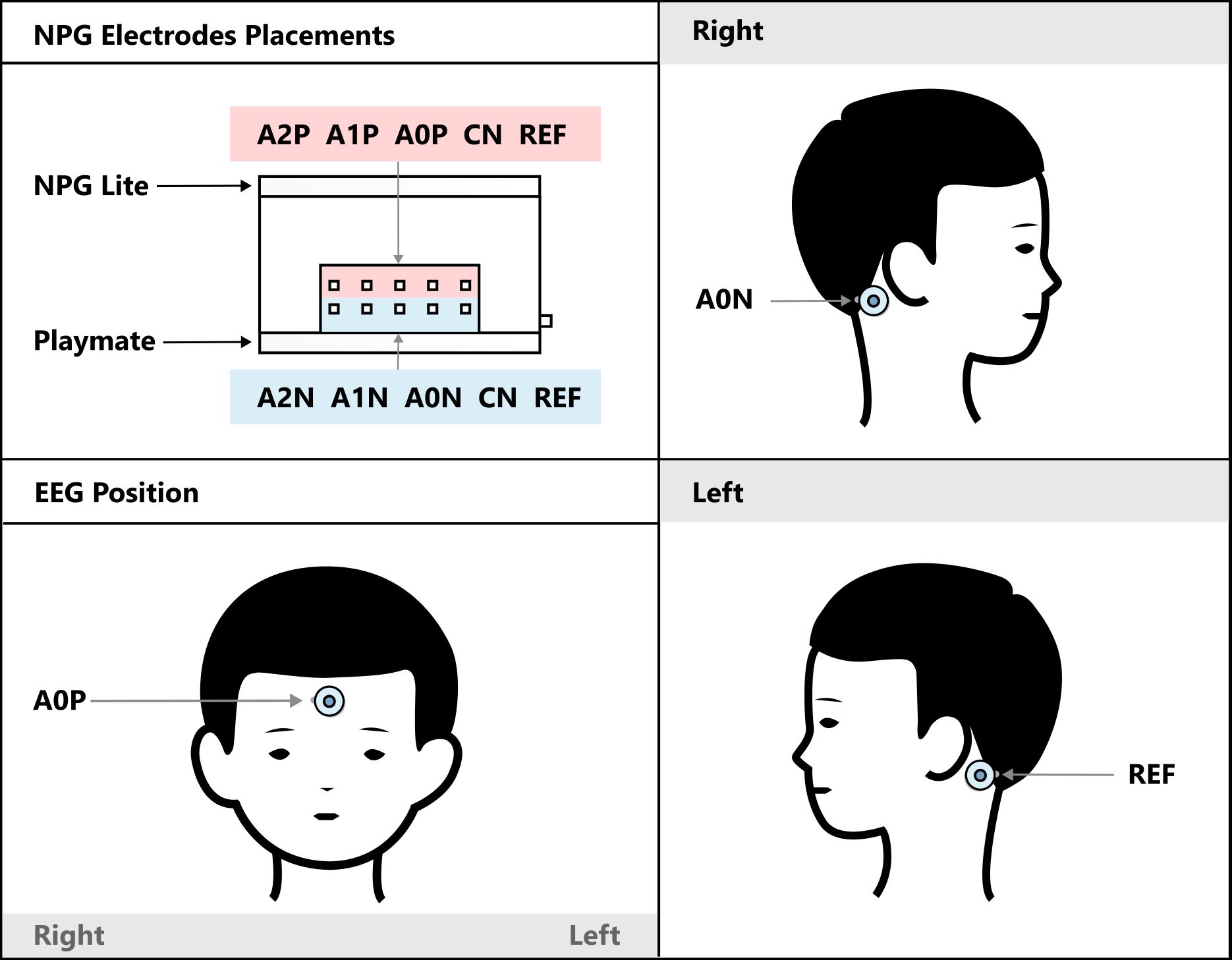
Learn More:
- Pop Bubbles With Your Mind (EEG) | Neuro PlayGround (NPG) Lite – Instructables Guide
- Interactive focus game web app
Exciting new projects and tutorials are on the way. Neuro PlayGround Lite is just getting started! Ready to join the movement? Get yours today