Excamera Labs
Test Equipment
Protocol Interfaces
TermDriver 2
A better USB-to-serial adapter with a built-in screen
Excamera Labs
Test Equipment
Protocol Interfaces
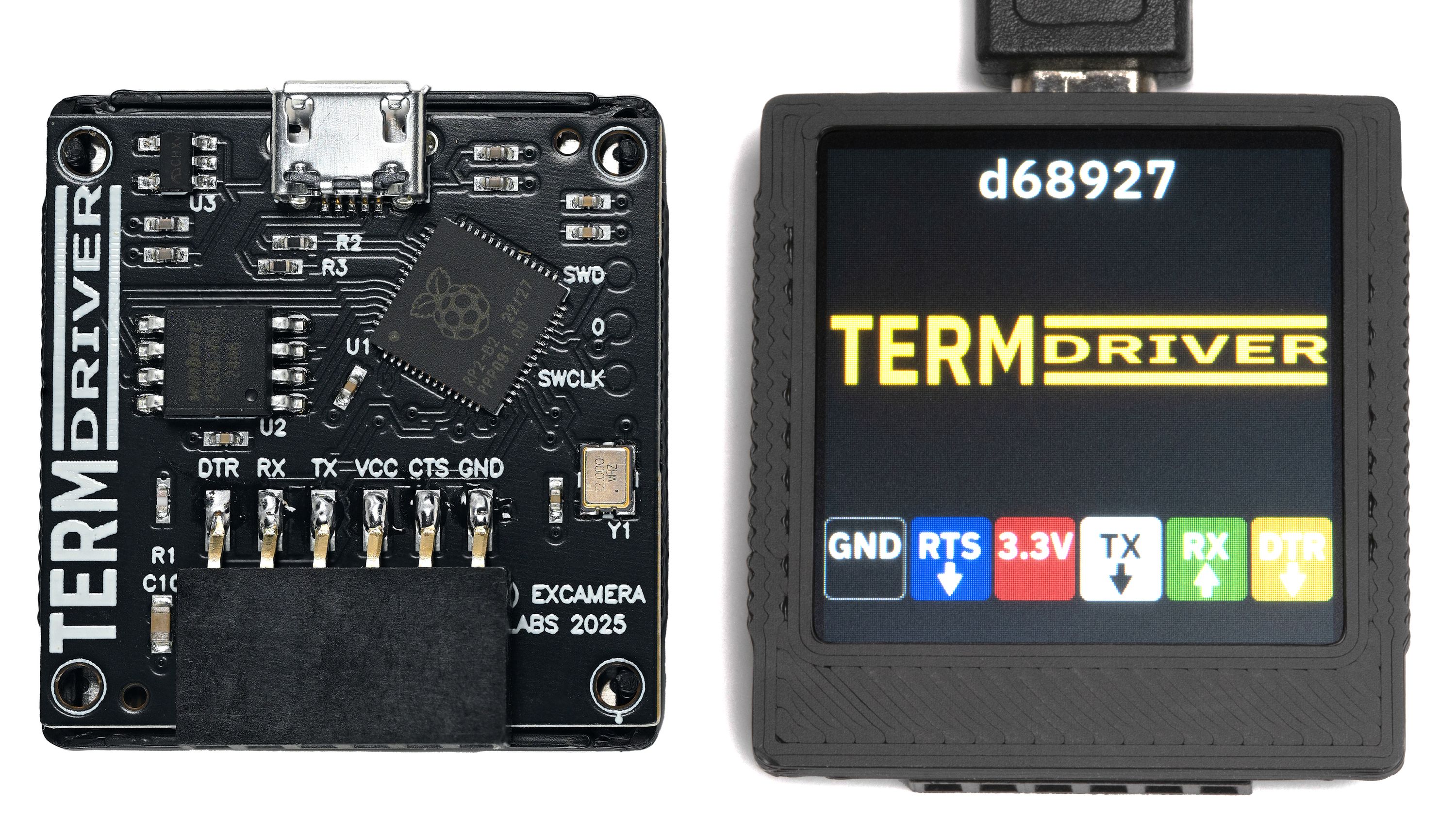
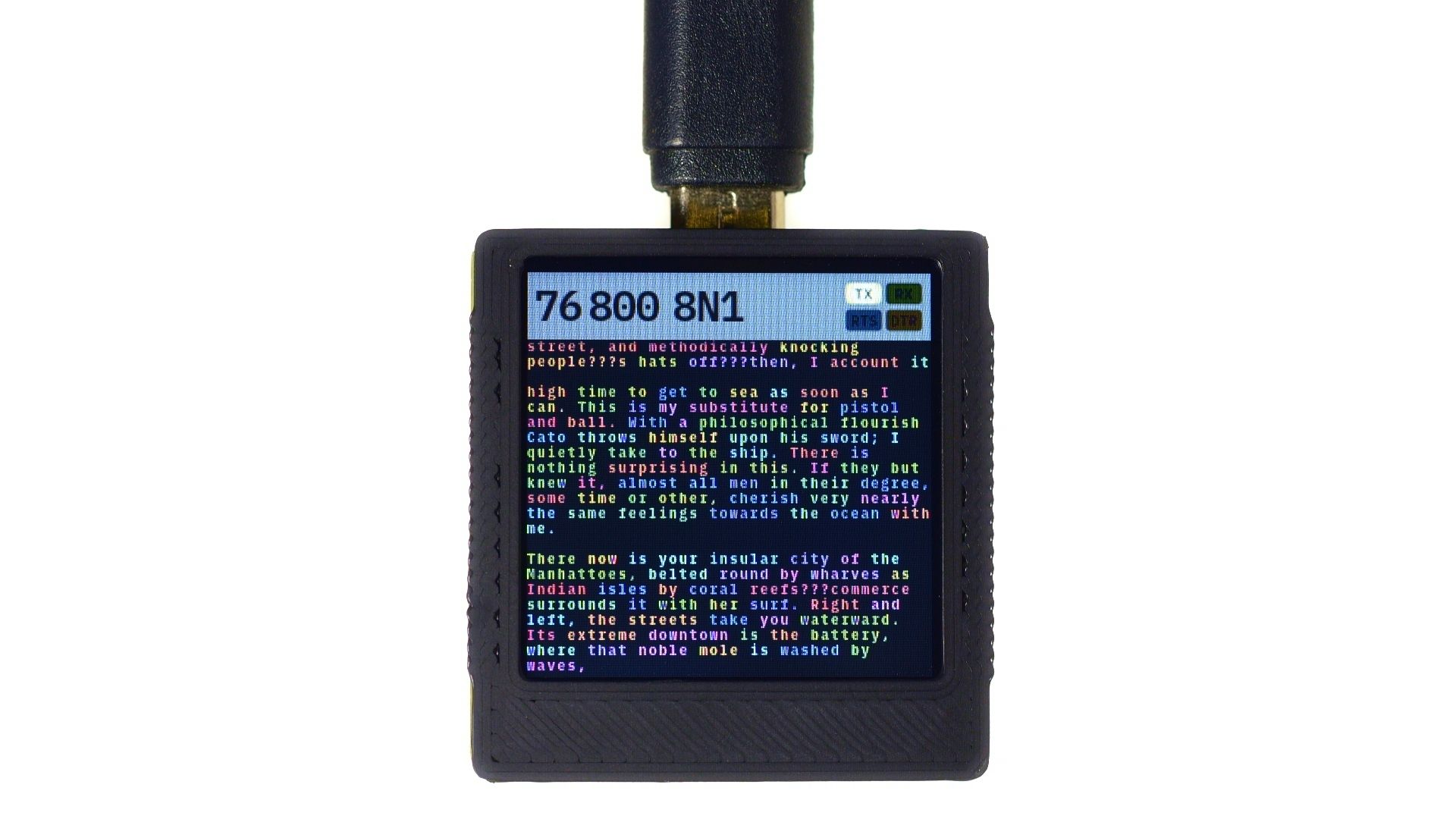
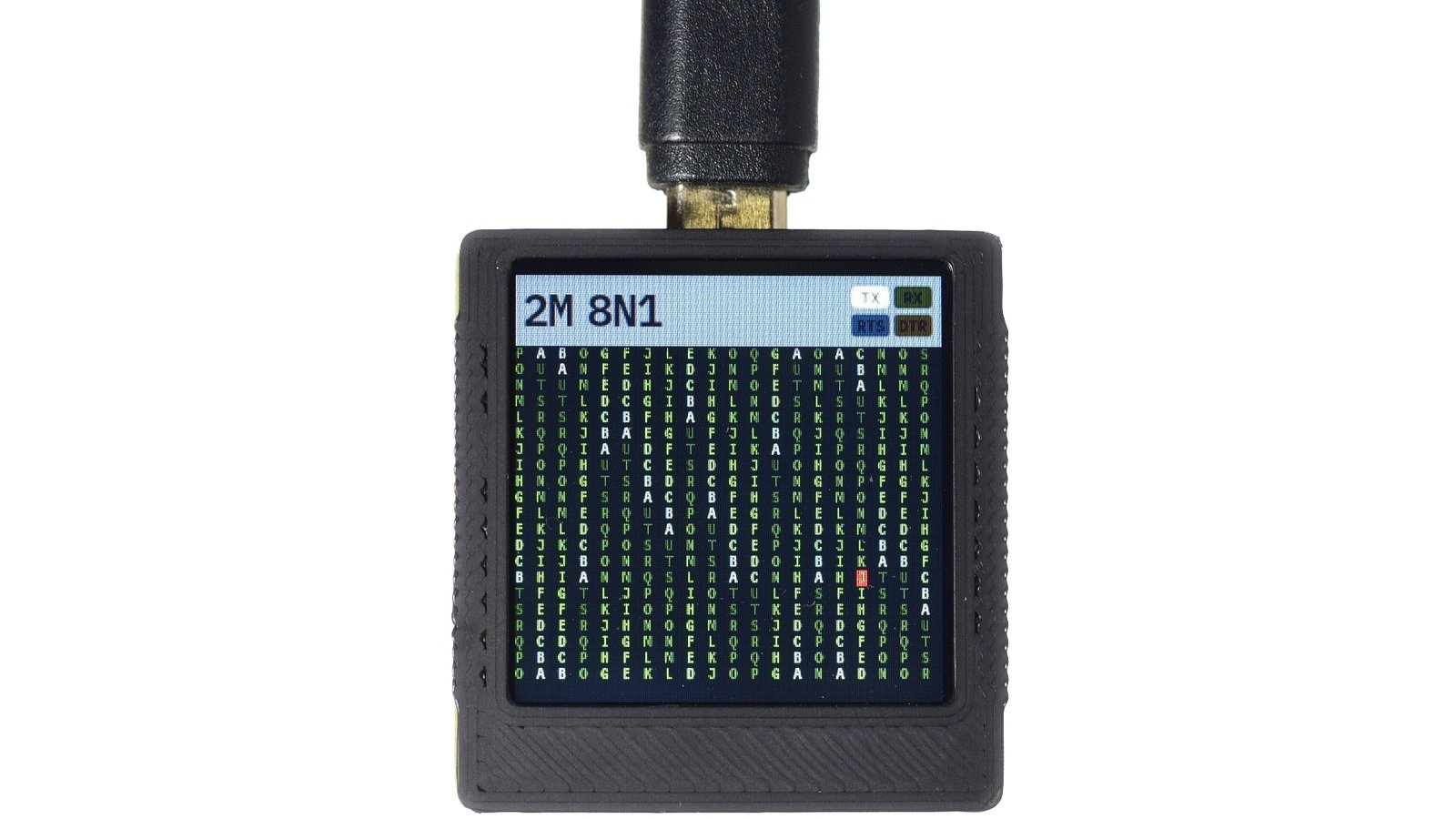
TermDriver 2 is a USB-to-serial interface with a built-in screen. It supports baud rates from 1200 to 2 Mbit, all the while showing critical line status and traffic on its tiny yet full-featured monitor. The terminal emulation supports standard ANSI escape codes, so colors and layout are faithfully reproduced on the TermDriver display.
You can use TermDriver 2 just like any other fully featured USB serial adapter. It supports high speeds and includes a 32 KB input buffer, capable of supplying up to 350 mA at 3.3 V. TermDriver 2 can also operate independently of USB, allowing it to be added as a console to embedded systems, such as a Raspberry Pi.
Every embedded developer has been there: staring at a blank terminal, wondering if your serial connection is working. Is the device sending data? Are the control lines connected? Is that the right baud rate? Traditional USB-serial adapters leave you guessing, forcing you to juggle multiple applications and debug blind.
TermDriver 2 changes everything. It’s the first USB-to-serial adapter with a built-in screen that shows you exactly what’s happening on your connection in real-time. See your serial traffic, monitor line status, and debug connection issues at a glance—all while delivering professional-grade performance up to 2 Mbps.
Stop switching between windows. Stop wondering if your connection is working. Start seeing your serial communication.
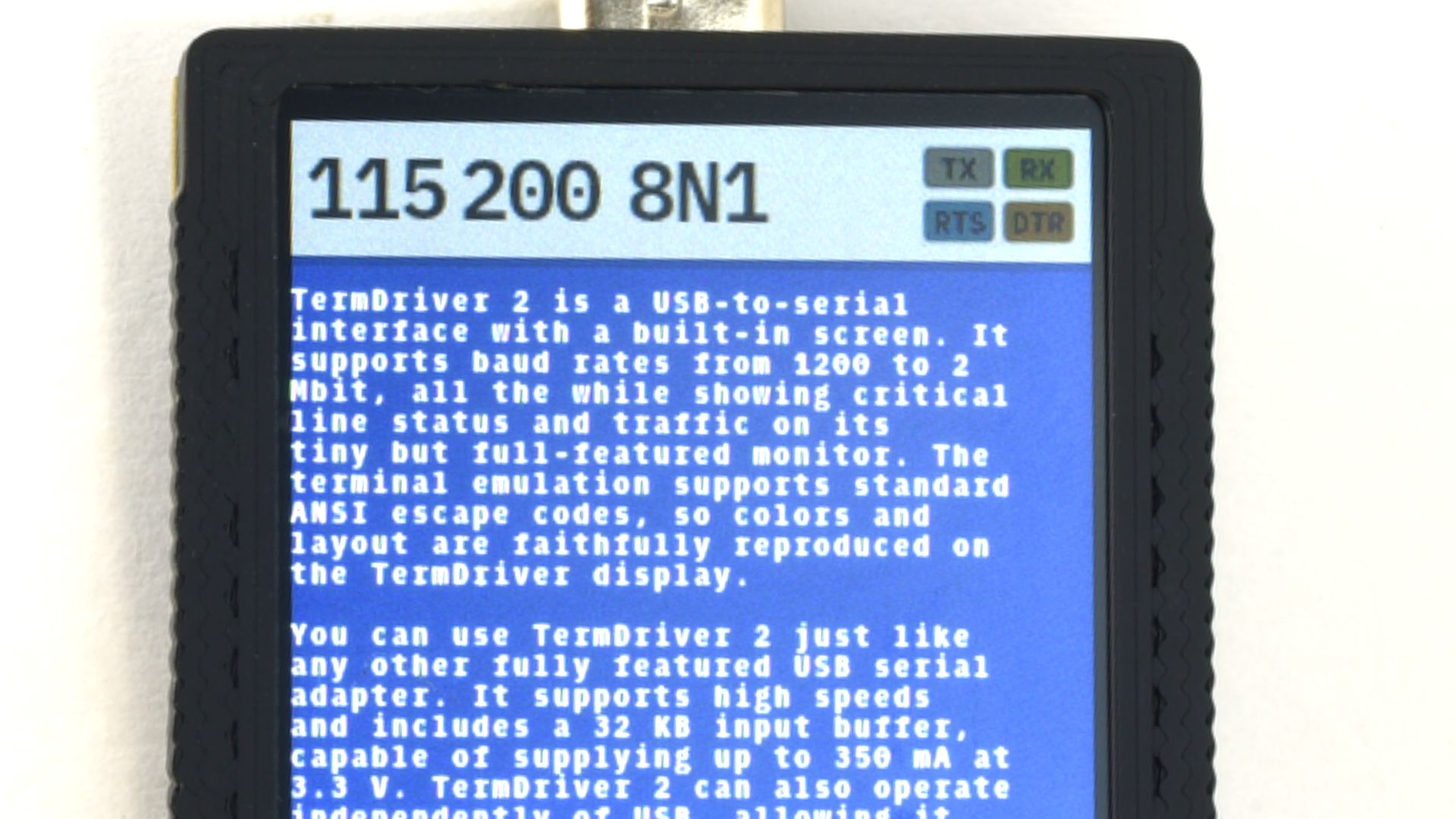
The built-in IPS display transforms how you work with serial devices. Instead of blind troubleshooting, you get instant visual feedback on everything happening with your connection.
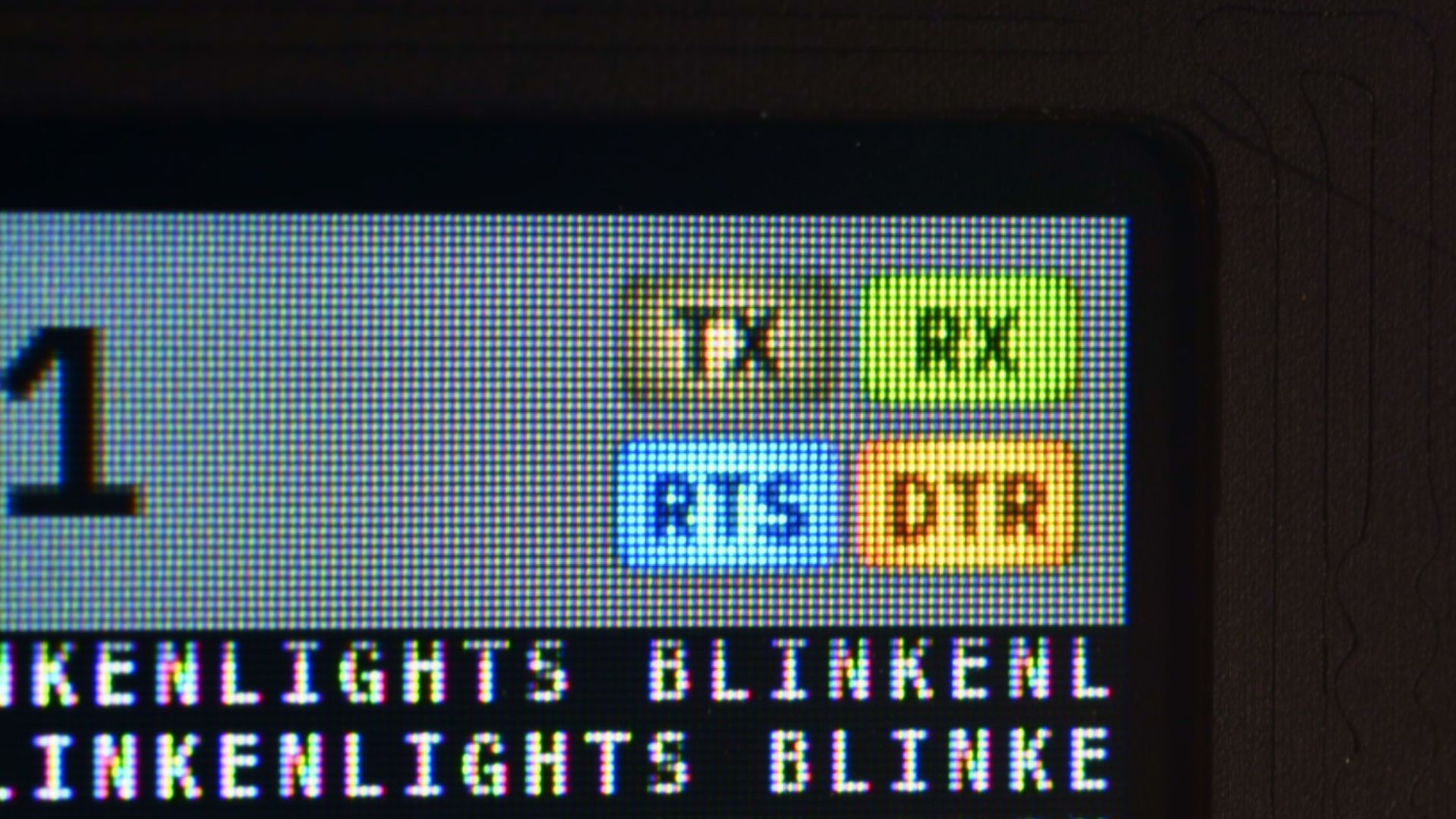
Watch serial data stream by in real-time with full ANSI terminal emulation—colors, cursor positioning, and formatting are faithfully reproduced on the compact screen. Monitor the control signals with live status indicators. If something goes wrong, you’ll see it immediately.
The display isn’t just for monitoring—it’s an active debugging tool. Identify connection issues before they derail your development session. It’s like having a logic analyzer and terminal emulator built into your USB-serial adapter.
TermDriver 2 doesn’t compromise performance for convenience. The dual-core RP2040 architecture dedicates one ARM Cortex-M0+ core entirely to USB-UART communication while the second core handles display rendering. This ensures maximum throughput and zero data loss even at high speeds.
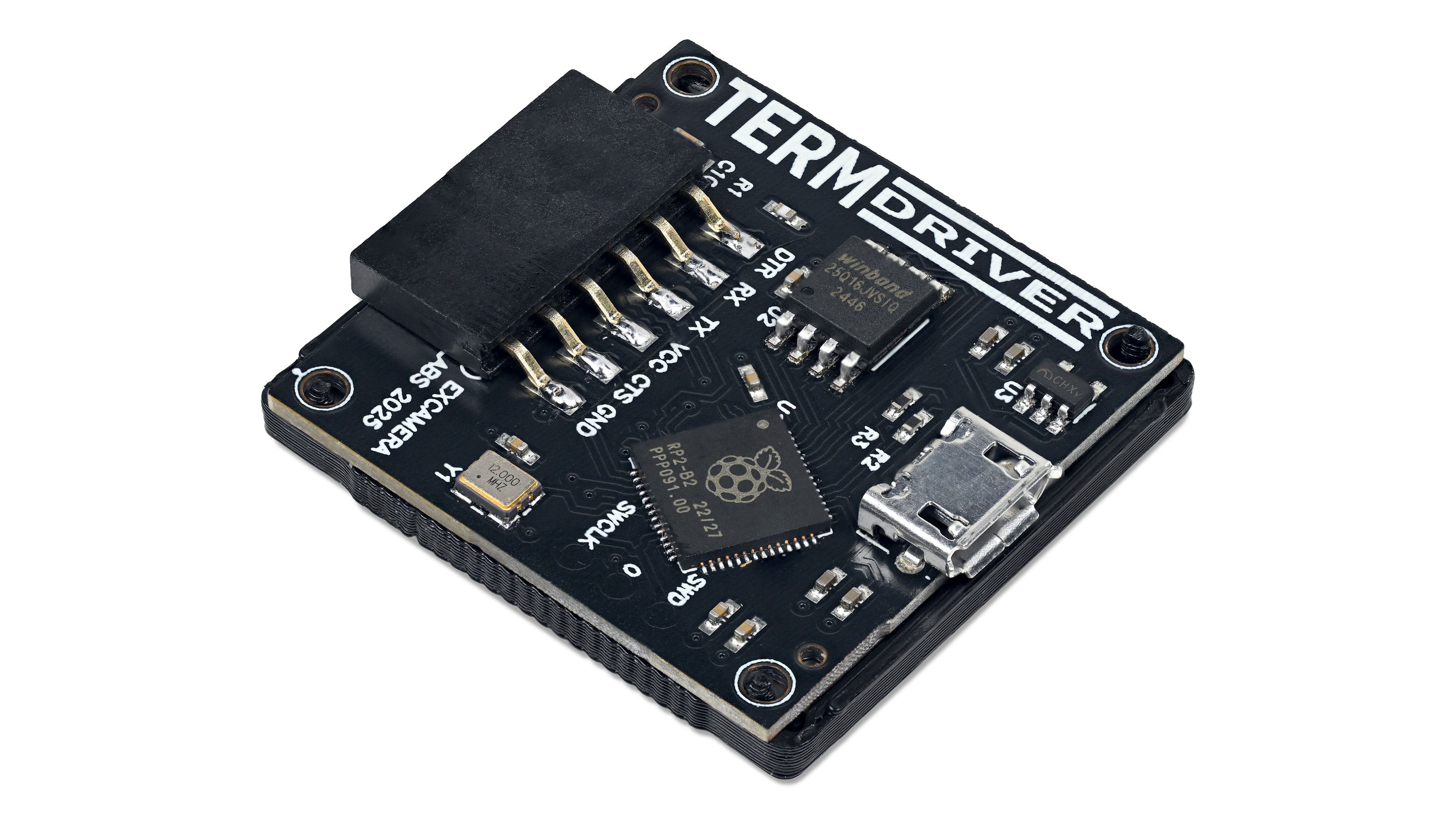
Support for baud rates from 1200 to 2 Mbps handles everything from vintage equipment to modern high-speed protocols. The 32 KB hardware input buffer captures every byte during traffic bursts, so you’ll never lose critical data.
And with 350 mA of clean 3.3V power available, you can drive sensors, microcontrollers, and peripherals directly without external power supplies.
The firmware is carefully optimized for performance and reliability. Precise timing and robust error handling ensure your serial communication works exactly as expected, whether you’re flashing firmware, debugging embedded systems, or interfacing with industrial equipment.
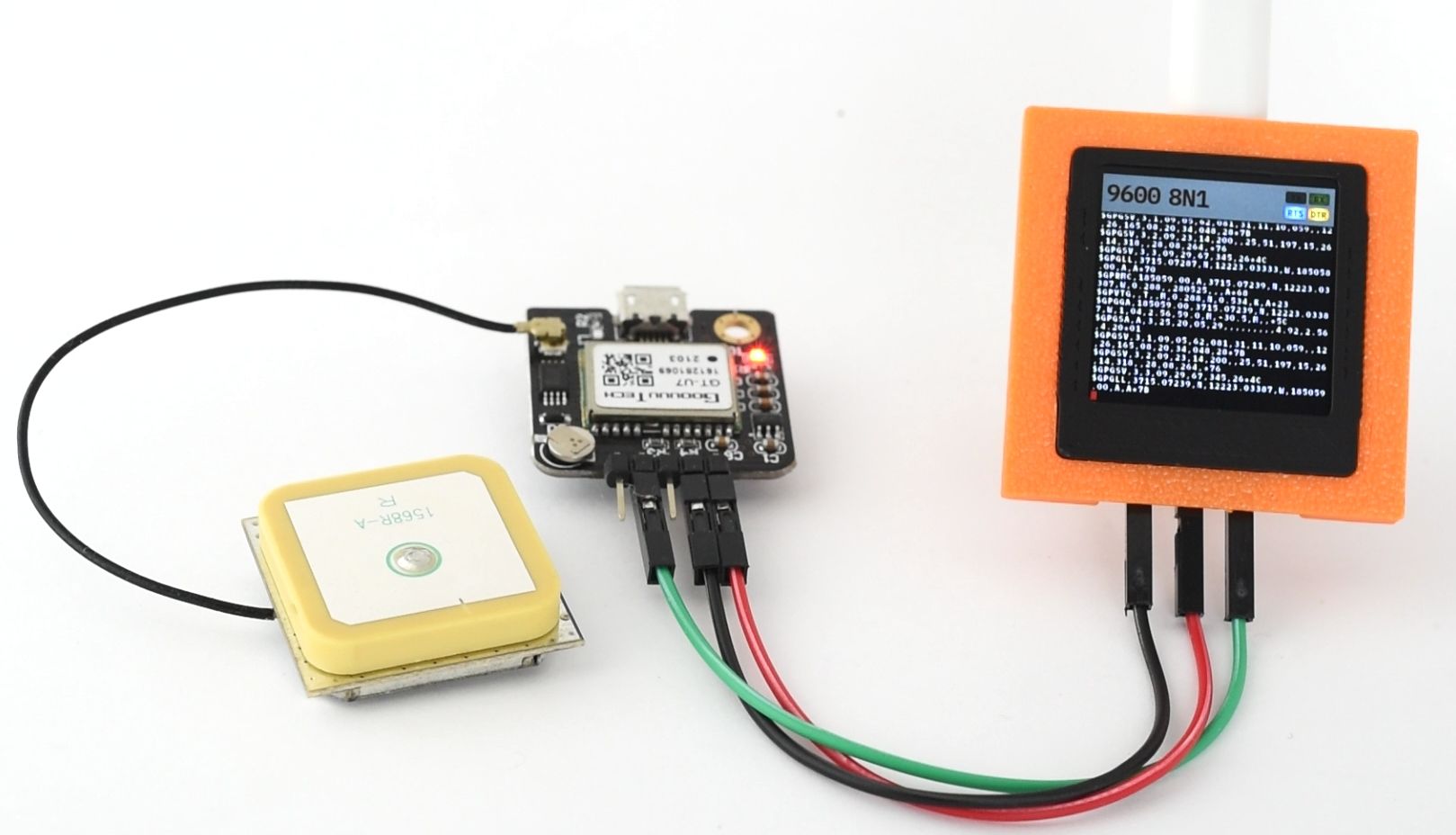
TermDriver 2 operates independently of USB connections, transforming it from a simple adapter into a versatile embedded systems tool. Connect it directly to a Raspberry Pi, Arduino, or any other system with a UART, and you have an instant console monitor that doesn’t require a connected computer.
This standalone capability makes TermDriver 2 perfect for field debugging, headless system monitoring, and situations where bringing a laptop isn’t practical. The device can log serial traffic, display status information, and provide visual feedback even when no computer is present.
Whether you’re troubleshooting a remote installation, monitoring sensor data, or debugging a headless embedded system, TermDriver 2 gives you eyes on your serial communication wherever you need them.
Core Performance
Display & Interface
Power & Connectivity
Software & Compatibility
| TermDriver | FTDI cables | Sparkfun FTDI Basic | Adafruit FTDI friend | |
|---|---|---|---|---|
| Manufacturer | Excamera Labs | FTDI | Sparkfun | Adafruit |
| Indicators | 240x240 LCD | None | 2 LEDs | 2 LEDs |
| Max current | 300 mA | 50 mA | 50 mA | 50 mA |
| Recv buffer | 64k bytes | 256 bytes | 256 bytes | 256 bytes |
| Open Source | HW + SW | No | PCB only | PCB only |
| Price | $24 | $20.20 | $18.50 | $14.75 |
Open Source Resources
Technical Documentation
The TermDriver 2 PCB will be manufactured by our longtime partner Boktech, who also manufacture our I2CDriver, SPIDriver and I2CMini. Assembly and final test will be done by Excamera Labs in California.
Timeline: Manufacturing begins immediately after campaign completion, with first units shipping 8 weeks later.
After our production run is complete, we will package everything up and send it along to Crowd Supply’s fulfillment partner, Mouser Electronics, who will handle distribution to backers worldwide. You can learn more about Crowd Supply’s fulfillment service under Ordering, Paying, and Shipping in their guide.
This isn’t our first rodeo. TermDriver 2 will follow the same well-tested path as I2CDriver, SPIDriver and I2CMini. However, the past few years have taught us to expect the unexpected. We’ve done whatever it took to keep on shipping our products without a hiccup, and we’ll do the same for TermDriver 2.

"When it comes to text, how small is too small? The experts say a six point font is the minimum for readability, but as [James Bowman] shows us, you can get away with half of that. "
"Excamera Labs decided to make the TermDriver 2, an improved USB-to-serial with a small built-in display, to more easily debug [USB-to-serial] issues. "

"Need to work with serial equipment, but the USB-to-serial adapters on the market are unreliable? Then you’ll want to check out TermDriver 2."
Produced by Excamera Labs in Pescadero, CA.
Sold and shipped by Crowd Supply.
One TermDriver 2 module

I'm dedicated to building useful hardware and software, particularly where embedded systems meet graphics and imaging. Probably my best known public projects are the Gameduino series of game accessory boards, and the J1 CPU. I have benefited immensely from Open Source hardware and software, so I try to open source as much as I can.